
Blog
Blog
AI Property Management Software in Europe Buyer’s Guide
AI Property Management Software in Europe Buyer’s Guide

Finding an ideal AI property management software should be straightforward. In reality, it rarely is.
Open a few vendor websites and you will quickly run into the same promises: faster responses, smarter automation, better resident experiences and less admin. The demos look polished. The AI sounds impressive. But none of that answers the question that actually matters to a property operator:
Will this software reliably get real work done inside the systems my team already uses?
An AI tool might reply to a prospective tenant in seconds, but if the viewing never makes it into the PMS, someone still has to fix the record. It might respond to a maintenance request beautifully, but if the case does not reach the right contractor or operations team, the work is still sitting unfinished. Scale that across hundreds or thousands of homes and a small gap in the workflow becomes another source of admin.
For European property teams, the decision can be even harder. Different markets bring different processes, languages, operating structures, approval rules and technology stacks. A solution that works neatly for one portfolio may create friction in another.
So the goal is not to find the AI platform with the longest feature list or the most impressive chatbot.
It is to find one that can complete the right tasks, keep your PMS accurate, hand difficult cases to the right person and give your team a clear record of what happened.
This guide shows you how to evaluate AI property management software on exactly those terms from workflow automation and PMS integrations to human controls, security, scalability, pricing and vendor proof, so you can separate useful technology from a good sales demo.
1. What Is AI Property Management Software?
AI property management software uses approved data to help with lettings, tenant work, repairs and reports. Some tools give answers. Some send work to a queue. Others can finish an agreed task and log the result. Buyers need to know where each tool stops.
The key test is simple. Can the tool help a person, or can it finish an approved job and leave the right PMS record?
How Is AI Property Management Software Different From a Traditional PMS?
A PMS remains the system of record for homes, tenants, leases and work orders. An AI tool can use information from that record to take an approved next step.
What it should not do is create a second version of the truth that your team then has to reconcile.
Take a viewing change. The PMS holds the slot. The AI tool may check availability, offer another time and write the new booking back to the PMS. If the PMS still shows the wrong appointment afterwards, the task is not complete.
How Is Agentic AI Different From a Chatbot or Copilot?
Agentic AI can carry out an agreed sequence of steps across different systems. A chatbot, reply assistant or drafting tool usually stops once the text has been written.
That difference matters when a tenant or lead needs an outcome rather than a well-written response.
For example, a reply tool can suggest a new viewing time. An AI execution layer can check available slots, book one, update the PMS and send the confirmation. If the underlying data is missing or wrong, it should hand the case to a person.
2. Why Is Buying AI Property Management Software Different Across Europe?
European property operators need software that fits the markets, teams and systems they actually use.
Europe does not operate as one single market. The same task may use different terminology, workflows, people and approval routes across the UK, Ireland and individual EU countries.
That is why buyers need proof in the places where the software will actually be used.
A list of supported countries or an EU data centre does not prove the workflow fits your operation. Ask the vendor to run your task using the right local steps, systems and owners.
Which Requirements Are European-Wide and Which Are Country-Specific?
Every portfolio needs clear data ownership, appropriate access rights, human hand-off and a record of important actions.
The local details still vary.
A task may require different wording, steps, teams or approvals depending on the country. The software can support an approved local process, but it cannot decide that process for you or replace local expertise.
Before asking a vendor to build a workflow, list the parts that change from one market to another.
What Does European-Ready Software Need to Support?
European-ready software should support the languages, communication channels, brands, legal entities, source systems and approval rules used by your teams.
Those differences need to remain clear during day-to-day work.
Good hosting is useful, but hosting alone does not prove that the software can run the process correctly.
A practical way to test this is to use one task in two real operating settings. For example, run it once for a UK build-to-rent site and once for an Irish home group. Check the terminology, staff route, access rights and PMS record in both.
You are looking for controlled variation, not one generic workflow applied everywhere.
3. How Should You Define Your Requirements Before Comparing Vendors?
Start with work that repeatedly takes up your team’s time.
Map the task, the systems involved, the people who touch it, the volume and the points where it tends to fail. This gives every vendor the same brief and prevents the buying process from turning into a comparison of feature lists.
Choose a real moment.
It could be a late lead, a repair sitting in the wrong inbox or a tenant update that requires staff to move between three systems. Then define the finish line in plain language.
The person gets the right answer. The correct owner receives the case. The PMS shows the right record.
Which Operational Problems Should Trigger a Software Review?
Look for repeated work that leads to slow replies, missed follow-up, poor records or inconsistent service.
That might include late leads, repair backlogs, repeat questions, manual PMS updates, work spread across different channels or pressure during busy seasonal periods.
These problems are reasons to test software. They do not mean every team needs the same product.
Try to name the broken hand-off.
A lease-up team may spend too much time keeping leads, calendars and viewings aligned. A dispersed portfolio may lose time moving a repair between a tenant, property manager and contractor.
The clearer the pain point, the more useful your vendor test becomes.
Who Should Join the Buying Committee?
Include the task owner, frontline users, operations, asset or finance leads, IT, security, data or legal teams, and procurement.
Each group sees a different part of the risk.
Agree your hard-fail requirements before the first live demo.
The task owner should check whether the service works. Frontline users should test awkward cases. IT should review integrations and access. Procurement should look at terms and cost.
Give each person a specific question to answer. That reduces the chance of discovering a major blocker after everyone has already been impressed by the demo.
Pause the purchase if there is no clear task owner, reliable system of record, written process, decision limit or pass test. A tool cannot fix work that the operator cannot yet describe.
4. Which Type of AI Property Management Software Fits Your Operating Model?
The right type of product depends on where the work breaks and how much of the job the software needs to complete.
There is no single product type that works best in every situation.
Compare how far the tool can take the task, how it connects to the PMS and how much work remains for your team. Then choose the smallest option that can actually finish the job.
Product type | Best fit | Job depth | Link type | Main limit |
|---|---|---|---|---|
General AI tool | Research and drafts | Low | Manual use | No live record |
PMS native AI | Work in one PMS | Low to mid | PMS only | Limited cross-system work |
Point tool | One clear pain point | Mid | Narrow link | May add an inbox |
Message layer | High message load | Low to mid | Channel link | May stop before the job ends |
AI execution layer | Multi-step work | High | Read and write back | Needs clear controls |
In-house build | Rare core need | Varies | Custom | High long-term load |
When Is PMS-Native AI Enough?
PMS-native AI can work well when the whole task lives inside one PMS.
It may be a good fit for search, drafting or a simple workflow where the underlying data is reliable. It becomes less suitable when staff need to move between messaging channels, calendars, a CRM and contractor systems to finish the work.
Ask one practical question: does the user need to leave the PMS to complete the task?
If the answer is no, a native tool may be the simplest option. If the answer is yes, test the full workflow before making a decision.
When Is a Specialist Point Solution the Better Choice?
A point solution can work well when one specific problem has a clear ending, a clear owner and a clear system of record.
The risk is adding another queue, another tenant record or another disconnected part of the resident journey.
Even a small specialist tool should be tested against the full task.
It may save time at the beginning but give that time back if someone still needs to copy the result into the PMS manually. Ask where the work starts, where it finishes and which system owns the final record.
When Does an AI Execution Layer Make More Sense?
An AI execution layer can make sense when a task crosses several systems and teams but the PMS still needs to remain the source of truth.
The software can connect approved steps such as receiving a message, checking a calendar and updating the PMS. Anything outside the agreed rules should be handed to a person.
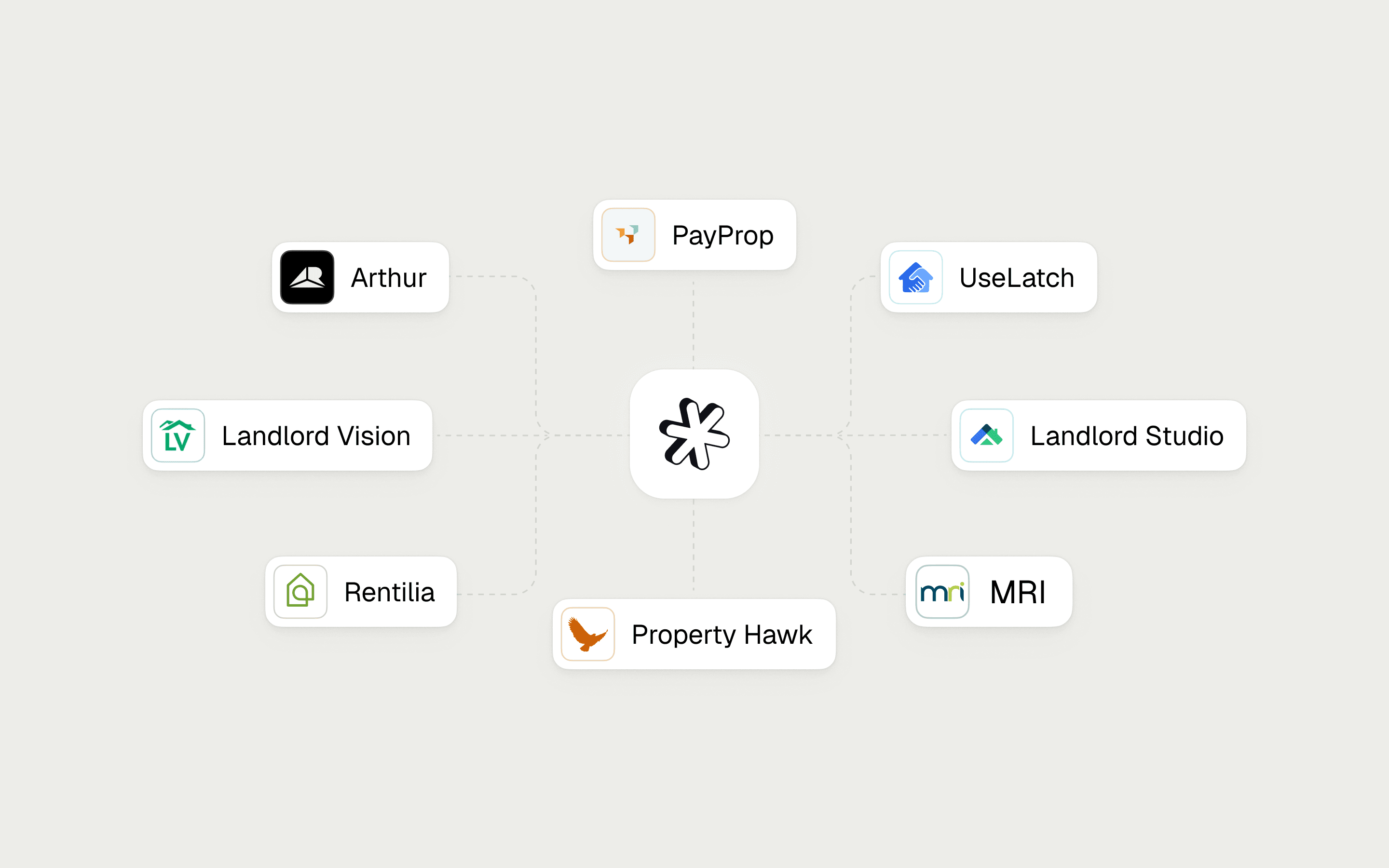
Lette is one example. It works as a system of action alongside the PMS system of record, helping teams connect separate systems across approved workflows.
It does not replace the PMS or decide the operator’s policies.
When Should an Operator Consider Building In-House?
An in-house build may suit a rare, strategically important need when you have a capable product team and enough time to own the system properly.
You gain more control, but you also become responsible for integrations, testing, support, product changes and ongoing maintenance.
Ask who owns a failed task at 7pm. Ask who tests the workflow after every PMS change. Ask who makes sure the record remains accurate.
If those responsibilities are unclear, buying an existing product may be the safer route.
5. Which Property Management Workflows Should the Software Complete?
Compare complete jobs, not long feature lists.
For each workflow, define what the software reads, what it is allowed to do, what it writes back, when a person takes over and what proves the task is finished.
A good response is not the same as a good outcome.
Start with work that has clear rules, a known owner and an ending you can verify.
Decisions involving housing, safety, money or disputed cases should stay with the appropriate person.
Job | Data needed | Approved action | Write-back | Human gate | Proof |
|---|---|---|---|---|---|
Lettings | Units, lead, calendar | Reply, check, book | Lead and viewing | Bad or missing data | Booking and PMS match |
Resident work | Resident, lease, policy | Answer, route, remind | Case and contact log | Personal exception | Right owner and record |
Repairs | Issue, home, contractor | Gather, route, update | Ticket or work order | Safety doubt | Work order and update trail |
Reports | Events and status | Flag delay | Task or report view | Data clash | Link to source event |
Which Lettings Workflows Should the Software Support?
Lettings software should move an approved lead journey to the next clear step.
Review first responses, basic checks, live stock, viewing bookings, reminders, application progress and document chasing. Every step should have a named owner and leave a record in the correct system.
A useful test is moving a viewing.
Can the software complete the change without creating a duplicate slot or leaving an old appointment in the PMS?
Lette’s leasing workflows show the type of full journey buyers should ask a vendor to demonstrate.
Which Resident Operations Should the Software Support?
Resident operations software should reduce repetitive admin while keeping case ownership and history clear.
Review move-ins, common questions, renewals, tenancy changes, approved reminders, move-outs and contact records.
Decide in advance which cases should go directly to a person.
Also test whether the software can keep the right context across email, WhatsApp and the PMS.
Rent reviews, arrears and notices may belong on your evaluation list, but each needs its own local rules.
See resident operations for the wider set of workflows to test.
Which Maintenance Workflows Should the Software Support?
Repair software should capture the issue, collect the important details, route the next action and keep everyone informed.
Depending on the approved workflow, it may gather photos, create a work order, contact an approved contractor and record the result.
Any uncertainty around safety or urgency should go to a person. Do not stop the demo after the first response. Make the contractor unavailable. Remove the address. Force a work-order update to fail.
The software should keep the case together and make it obvious who owns the next step.
Maintenance automation provides a useful journey to test.
Which Reporting Workflows Should the Software Support?
Reporting should help teams see delays, backlogs, service levels and lead stages while keeping a clear link to the source event.
The goal is to show what needs attention, not create another data store that staff are expected to trust instead of the PMS.
Ask whether a manager can move directly from a report to the lead, case or work order behind it.
That connection is more useful than a polished chart.
Portfolio reporting shows the type of view that can help managers take action.
How Can Buyers Measure Automation Depth?
Automation depth tells you how far the software takes a job before a person needs to step in.
A simple five-level model is useful: answer, suggest, route, act, then check and close.
Score the tool on completed work and accurate records, not on the AI terminology used on the vendor’s website.
Level | What the tool does | Buyer check |
|---|---|---|
1. Answer | Gives a fact | Is the fact right? |
2. Suggest | Gives a next step | Who signs it off? |
3. Route | Sends work to a queue | Does the owner get context? |
4. Act | Takes an approved step | What PMS field changes? |
5. Check and close | Tests the result and logs it | How does it spot and fix failure? |
6. How Well Must the Software Integrate With Your Existing Property Stack?
The PMS integration is one of the most important parts of the buying decision.
AI cannot act reliably on outdated or incomplete information.
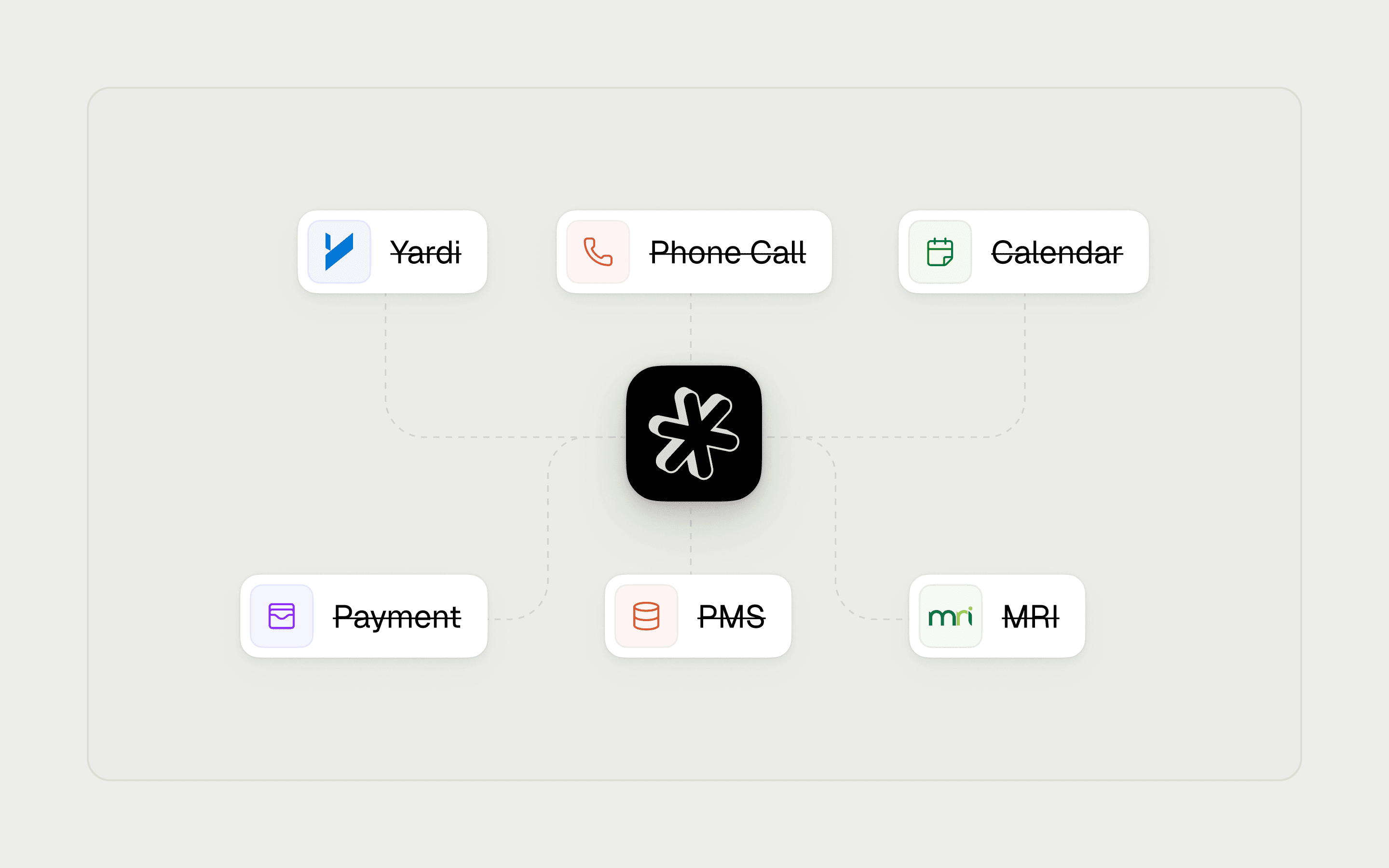
Ask the vendor to prove the integration using your PMS version, your records, your permissions and the task you want to automate.
A logo on an integrations page, a partner badge or a roadmap promise is not proof that the workflow works today.
Start with one record, such as a lead, viewing, tenant case or work order.
Ask which system owns it, what the software can read and who is allowed to approve changes.
Is the Integration Read-Only or Bi-Directional?
Read-only access can help the software find information.
Controlled write-back can help it finish the job.
Buyers should distinguish between a file feed, read-only API access, two-way sync and governed updates that include logs and a clear route for fixing errors.
Link depth | What it means | What to ask for |
|---|---|---|
Link logo | Supplier says a link exists | Your version and task |
File feed | Data moves on a set run | Freshness and fail plan |
Read-only API | Tool can view data | Fields, limits and rights |
Two-way sync | Systems share updates | Clash and duplicate rules |
Governed write-back | Tool updates an approved record | Log, alert and fix test |
Can the Platform Work Across Multiple Systems?
The software should be able to work across every system required by the task while keeping one clear source of truth for each record.
Test the PMS, CRM, inbox, calendar, resident portal, contractor software and messaging channels involved in the workflow.
Having more integrations does not help if nobody knows which system owns the record.
A lettings workflow might involve the PMS, HubSpot, Microsoft Outlook or Gmail, WhatsApp and Google Calendar.
A repair workflow may only need the PMS and a contractor tool.
What matters is the result. The correct system needs to receive the correct update at the correct time.
For a closer look at this test, see how to automate PMS tasks with AI.
What Happens When an Integration Fails?
A good system makes failures visible, avoids unsafe repeat actions and sends the case to a named person.
Ask how the vendor handles retries, duplicate records, clashes, changed permissions, changed fields, alerts, rollbacks and safe re-runs. Then test it.
Force an update to fail during the demo.
Ask to see the alert, the log and the corrected PMS record afterwards.
A green success screen is not enough. The source record needs to be right once the problem has been fixed.
7. What Privacy, Security, Governance and Human-Control Evidence Should Buyers Request?
Ask for clear, current evidence about how data is used, who can access it, how service issues are handled and where human control sits.
A security certificate, hosting statement and legal claim are not interchangeable.
Keep the review tied to the workflow you intend to use, then let the appropriate internal owners assess the evidence.
This is a buying check, not a legal guide. Your data and security teams should decide whether the vendor’s published material is suitable for your specific use case.
What Data-Processing Evidence Should the Vendor Provide?
Ask what data the workflow uses, where that data goes, who can access it and how you can export or remove it.
Request the data terms, subprocessor list, retention policy, export process and the vendor’s position on model training.
Keep the questions tied to the data you will actually share.
For Lette-specific information, use the Lette Trust Centre. It provides trust and security material, including information about controls and subprocessors.
Your team should still review that evidence against the specific task you plan to run.
What Security and Resilience Evidence Should the Vendor Provide?
Ask for the current security scope, login controls, incident process, backup plan and recovery approach.
Your security lead should be able to test the answers.
If the vendor cannot explain who receives an alert or how work resumes after a failure, that should be treated as a risk.
Use practical scenarios.
What happens if an access key expires? What happens if a message goes to the wrong queue? What happens if the PMS is unavailable?
A good answer should identify the owner, the hand-off and the check that happens next.
Which Actions and Exceptions Should Require Human Review?
Human review should cover actions that could seriously affect a tenant, applicant or operator.
That may include safety issues, vulnerable tenants, money, access to a home, complaints, uncertain identity or exceptions to policy.
Your own workflow rules should decide exactly where that line sits.
Ask the vendor to show how the software recognises those situations, pauses the task and hands the case over.
The person receiving it should get the full case, the key information, the suggested next step and enough time to respond.
What Evidence Proves Escalation, Override and Auditability Work?
Ask the vendor to demonstrate that an authorised user can receive a case, pause it, change the action and review what has already happened.
The audit log should show the source, action, approval, time, result and PMS update.
Run this test using a workflow that matters to your operation.
Use a case with missing information or a sensitive exception, then ask your own team to take over.
If they have to search through several screens to understand what happened, the hand-off is not ready.
8. Can the Platform Support Your Portfolio Type, Scale and Reporting Needs?
Portfolio fit is about more than the number of units.
Test the software against your sector, sites, brands, clients, countries, communication channels and periods of peak demand.
A product can perform well in a small, controlled test and still struggle when the same workload arrives across many teams and systems at once.
Your test should look like your busiest real operating period.
A calm afternoon at one property cannot prove the software will handle a lease-up campaign, a September peak or repairs spread across a large estate.
What Should Different Residential Sectors Prioritise?
Different residential sectors should start with different tests.
BTR operators should test lease-up volumes and work across several sites.
PBSA operators should test term-time peaks, parent and guarantor journeys, and student systems.
Single-family operators should test geographically dispersed repairs and contractor routing.
Co-living and later-living operators should define tests around their own resident journeys and hand-off requirements.
Ask vendors to demonstrate a case that looks like your actual portfolio.
A vague residential example is not enough. The closer the test is to the work your teams do every day, the more useful the result becomes.
Can the Platform Handle Peaks, Growth and Multiple Operating Entities?
The software should show how it manages queues, rate limits, heavy workloads and separation between funds, brands, clients and countries.
Ask who can see each team’s work and what happens when demand peaks. Access controls need testing alongside volume.
If you are a third-party manager, include client service levels and reporting lines.
For PBSA, test the busiest part of the year. For BTR, use a lease-up week rather than a quiet period.
Growth should not make data access or task ownership less clear.
Can Teams Trace Reporting Back to Source Events?
Teams should be able to trace a report back to the event, owner and live record behind it.
Ask to see delays, backlogs, lead-to-viewing rates, no-shows, repair times, hand-offs and failed actions.
The report should help someone decide what needs to happen next.
Test the drill-down during the demo.
A board-level view may look good, but it should still take the manager to the case that needs attention.
Leave payback calculations for the next stage.
9. What Should a Live Demo, Proof of Concept and Reference Check Prove?
A live demo should prove that the software can complete a real task in your technology stack. It should not be a polished presentation with no operational depth.
Give every finalist the same task, the same data and the same failure scenarios. Score the action, PMS record, human hand-off and recovery process separately.
Ask one simple question. What happens after the tenant replies? It often shows where the job stops.
Test case | Expected action | PMS record | Hand-off point | Proof |
|---|---|---|---|---|
Late lettings lead | Check and book a slot | Lead and viewing | No live stock | Reply, slot and PMS match |
Repair request | Gather detail and make work order | Ticket or work order | Safety risk or no contractor | Full case and fix trail |
Hard tenant case | Pause and route | Case record | Distress or policy issue | Full-context hand-off |
Can the Platform Complete an Out-of-Hours Lettings Journey?
Test live availability, approved checks, viewing bookings, reminders, PMS updates and the hand-off when important data is missing.
Begin with a realistic PMS record.
Do not allow the vendor to replace it with a perfect mock record once the test has started.
Change the availability during the demo. Add a duplicate contact. Remove a calendar slot.
You want to see a safe response and an accurate record, not a clever message that hides a broken workflow.
Can the Platform Triage Maintenance and Close the Operational Loop?
Test issue intake, photo collection, safe next steps, work-order creation, contractor routing, tenant updates and proof that the task was completed.
Then create a problem. Make the contractor unavailable or force the PMS update to fail.
The software should keep the case together and route uncertainty to the right person.
The opening message is only the first part of the job.
Your team ultimately needs a work order, a named owner and a clear next step. Test the entire route back to the source system.
Can the Platform Handle a Multilingual or Sensitive Exception?
Test a language change, a policy exception and a message that requires immediate human attention.
The software should not try to guess its way through a difficult case. It should recognise the boundary, keep the context and route the case to an authorised person.
Use the same scenario with every vendor. Then inspect the hand-off.
Does the person receive the original message, previous history, source data and the reason the task was paused?
That tells you more than a headline number of supported languages.
What Should a Comparable Customer Reference Verify?
A useful customer reference should have a similar PMS, sector, scale and workflow.
Ask what the vendor actually completes in production, where the integration needed work, how exceptions reach people, what effort the customer’s team still provides and what the product does not yet do.
Ask them to describe a task that failed or changed.
A clear example of what happened next often tells you more about vendor support and ownership than a general statement that the customer is happy.
10. How Should You Compare Pricing, Contract Terms and Vendor Support?
Compare the full cost and operational effort required to run the product, not just the licence fee.
Include implementation, integrations, usage, support, additional markets and exit costs.
The contract should make clear who owns a failed task, how changes are managed and what happens to your data when the relationship ends.
Use the same comparison sheet for every finalist.
Keep the task, volumes, markets and support level consistent across vendors. That makes it easier to spot an attractive headline price that hides higher costs elsewhere.
Which Are Some Additional Costs You Should Consider?
Additional costs may include implementation, custom integrations, messages, voice, model usage, premium support, new countries, new brands, data migration and specialist services.
Ask when each cost begins and what causes it to increase.
Do not wait until the final buying stage to discover them.
Also ask who pays when a third-party integration changes or when an existing workflow needs further development.
The answer helps show whether the price covers an ongoing service or mainly the initial build.
Which Service Levels and Support Commitments Matter?
Service levels should reflect the importance of the task.
Review uptime, incident categories, response times, resolution times, support hours, recovery commitments and who owns the tenant outcome when several suppliers are involved.
The support route should work for the people responsible for the workflow every day.
Test that route during due diligence.
If something fails outside normal office hours, you should know who sees it, who can stop further action and how the case returns to normal operation.
What Should the Contract Say About Data, Change and Exit?
The contract should cover data ownership, exports, deletion, handover support, subprocessor changes, major product changes, pricing rules and termination rights.
It should also explain what happens to workflow rules, logs and records when the agreement ends.
Ask the vendor to describe the exit process plainly.
Can you export your data in a usable form? Can you keep the records you are required to retain? Who supports the handover?
Clear answers reduce the risk of being trapped later.
11. How Should Buyers Assess Vendor Viability and Integration Ownership?
Treat the vendor as part of your operating environment, not simply as a company selling features.
You need to know who keeps each integration working, who supports important workflows and who owns external dependencies throughout the contract.
A useful product can still become a risk if nobody is clearly responsible for the connections it relies on.
Look at the people and operating processes behind the software as closely as the product itself.
You are buying a support model too.
Who Owns the Integration and Product Roadmap?
Confirm who owns integration maintenance, version testing, change notifications, external model connections, channel changes and issue hand-offs.
The vendor should be able to explain what it owns, what your team owns and what requires joint review.
Do not accept a roadmap promise instead of evidence that something works today.
Ask what happens when the PMS changes a field, a messaging channel changes its rules or an API becomes unavailable.
A good response should identify an owner, a test and a safe way to keep work moving.
What Continuity Evidence Should the Vendor Provide?
Ask for evidence of support coverage, a recovery plan, product plans and exit support.
You do not need another long sales presentation.
You need confidence that the supplier can support an important workflow, communicate changes and help you leave in an orderly way if necessary.
Review this evidence with the same attention you give the live demo.
A vendor that answers difficult questions clearly is easier to assess than one that pushes every risk into a future roadmap.
12. How Should You Build a Defensible Vendor Shortlist?
Use hard-fail requirements before weighted scoring. A strong demo cannot compensate for a missing PMS workflow, poor human hand-off, unclear data evidence or an unacceptable exit process.
Keep the evidence next to each score so you can explain the final decision to every internal stakeholder.
Set your scoring weights before the demos begin. Then ask each vendor to run the same tests.
That prevents the strongest presenter from deciding what gets measured.
What Should the Procurement Scorecard Include?
Your scorecard should cover task fit, PMS integration, European fit, human control, scale, vendor evidence, cost and reporting.
Adjust the weights according to the risks in your operation.
A business with complex maintenance workflows may put more weight on recovery and failure handling than a straightforward lease-up operation.
Check | Weight | Minimum proof | Owner |
|---|---|---|---|
Task and service fit | 20 | Live end-to-end test | Task owner |
PMS link | 20 | Exact record update test | IT or PMS owner |
Europe fit | 15 | Target-market task test | Ops lead |
Human control and audit log | 10 | Pause and hand-off test | Control owner |
Scale and group fit | 10 | Peak and entity test | Portfolio lead |
Supplier proof and support | 10 | Reference and support proof | Procurement |
Cost and exit | 10 | Full cost and exit plan | Procurement and finance |
Reports and ease of use | 5 | Source-linked view | Frontline users |
Which Hard-Fail Requirements and Vendor Red Flags Should Disqualify a Platform?
Remove a vendor from consideration if it cannot support the required PMS workflow, provide essential evidence, maintain proper human hand-off or offer an acceptable way to export your data.
These are not areas where a high score elsewhere should make up the difference.
They are basic requirements for making a safe buying decision.
Watch for rehearsed demos, vague claims about AI, read-only integrations presented as automation, missing failure processes, unclear support ownership and poor human hand-off.
If a vendor refuses to demonstrate what happens when something goes wrong, that may be the part of the workflow your team will end up managing later.
How Many Vendors Should Reach the Final Evaluation?
Two or three strong AIs for your PMS are usually enough for the final stage.
That gives you a manageable group for like-for-like demonstrations, evidence checks and conversations with comparable customers.
Taking a longer list into the final round often creates more meetings without improving the decision.
Make the last test difficult.
Ask every finalist to run the same task, show the same records and answer the same control questions.
As the test becomes closer to real work, the best fit should become easier to see.
13. What Should European Property Teams Do Next?
Start with one high-volume task, the PMS record behind it and the controls you are not prepared to give up.
Ask every finalist to run the same real scenario.
Choose based on whether the work is completed, how well the PMS is kept up to date, where people remain in control and what evidence the vendor can provide.
Do not make the decision based on feature count or a smooth opening demo.
You do not need to replace every system or hand every decision to software.
The goal is to remove the repetitive hand-offs that take up your team’s time while keeping people responsible for the parts that require judgement.
How Can Lette Fit Beside Your Existing Property Management System?
Lette works alongside the existing PMS as the system of action, while the PMS remains the system of record.
It connects separate systems and supports approved workflows across lettings, resident operations, maintenance and reporting.
When a task needs human judgement, the case is handed over.
Bring one real task, your PMS and the difficult cases your team deals with each week to a focused Lette workflow review.
The useful question is simple: what can this task safely complete in our existing stack?
Finding an ideal AI property management software should be straightforward. In reality, it rarely is.
Open a few vendor websites and you will quickly run into the same promises: faster responses, smarter automation, better resident experiences and less admin. The demos look polished. The AI sounds impressive. But none of that answers the question that actually matters to a property operator:
Will this software reliably get real work done inside the systems my team already uses?
An AI tool might reply to a prospective tenant in seconds, but if the viewing never makes it into the PMS, someone still has to fix the record. It might respond to a maintenance request beautifully, but if the case does not reach the right contractor or operations team, the work is still sitting unfinished. Scale that across hundreds or thousands of homes and a small gap in the workflow becomes another source of admin.
For European property teams, the decision can be even harder. Different markets bring different processes, languages, operating structures, approval rules and technology stacks. A solution that works neatly for one portfolio may create friction in another.
So the goal is not to find the AI platform with the longest feature list or the most impressive chatbot.
It is to find one that can complete the right tasks, keep your PMS accurate, hand difficult cases to the right person and give your team a clear record of what happened.
This guide shows you how to evaluate AI property management software on exactly those terms from workflow automation and PMS integrations to human controls, security, scalability, pricing and vendor proof, so you can separate useful technology from a good sales demo.
1. What Is AI Property Management Software?
AI property management software uses approved data to help with lettings, tenant work, repairs and reports. Some tools give answers. Some send work to a queue. Others can finish an agreed task and log the result. Buyers need to know where each tool stops.
The key test is simple. Can the tool help a person, or can it finish an approved job and leave the right PMS record?
How Is AI Property Management Software Different From a Traditional PMS?
A PMS remains the system of record for homes, tenants, leases and work orders. An AI tool can use information from that record to take an approved next step.
What it should not do is create a second version of the truth that your team then has to reconcile.
Take a viewing change. The PMS holds the slot. The AI tool may check availability, offer another time and write the new booking back to the PMS. If the PMS still shows the wrong appointment afterwards, the task is not complete.
How Is Agentic AI Different From a Chatbot or Copilot?
Agentic AI can carry out an agreed sequence of steps across different systems. A chatbot, reply assistant or drafting tool usually stops once the text has been written.
That difference matters when a tenant or lead needs an outcome rather than a well-written response.
For example, a reply tool can suggest a new viewing time. An AI execution layer can check available slots, book one, update the PMS and send the confirmation. If the underlying data is missing or wrong, it should hand the case to a person.
2. Why Is Buying AI Property Management Software Different Across Europe?
European property operators need software that fits the markets, teams and systems they actually use.
Europe does not operate as one single market. The same task may use different terminology, workflows, people and approval routes across the UK, Ireland and individual EU countries.
That is why buyers need proof in the places where the software will actually be used.
A list of supported countries or an EU data centre does not prove the workflow fits your operation. Ask the vendor to run your task using the right local steps, systems and owners.
Which Requirements Are European-Wide and Which Are Country-Specific?
Every portfolio needs clear data ownership, appropriate access rights, human hand-off and a record of important actions.
The local details still vary.
A task may require different wording, steps, teams or approvals depending on the country. The software can support an approved local process, but it cannot decide that process for you or replace local expertise.
Before asking a vendor to build a workflow, list the parts that change from one market to another.
What Does European-Ready Software Need to Support?
European-ready software should support the languages, communication channels, brands, legal entities, source systems and approval rules used by your teams.
Those differences need to remain clear during day-to-day work.
Good hosting is useful, but hosting alone does not prove that the software can run the process correctly.
A practical way to test this is to use one task in two real operating settings. For example, run it once for a UK build-to-rent site and once for an Irish home group. Check the terminology, staff route, access rights and PMS record in both.
You are looking for controlled variation, not one generic workflow applied everywhere.
3. How Should You Define Your Requirements Before Comparing Vendors?
Start with work that repeatedly takes up your team’s time.
Map the task, the systems involved, the people who touch it, the volume and the points where it tends to fail. This gives every vendor the same brief and prevents the buying process from turning into a comparison of feature lists.
Choose a real moment.
It could be a late lead, a repair sitting in the wrong inbox or a tenant update that requires staff to move between three systems. Then define the finish line in plain language.
The person gets the right answer. The correct owner receives the case. The PMS shows the right record.
Which Operational Problems Should Trigger a Software Review?
Look for repeated work that leads to slow replies, missed follow-up, poor records or inconsistent service.
That might include late leads, repair backlogs, repeat questions, manual PMS updates, work spread across different channels or pressure during busy seasonal periods.
These problems are reasons to test software. They do not mean every team needs the same product.
Try to name the broken hand-off.
A lease-up team may spend too much time keeping leads, calendars and viewings aligned. A dispersed portfolio may lose time moving a repair between a tenant, property manager and contractor.
The clearer the pain point, the more useful your vendor test becomes.
Who Should Join the Buying Committee?
Include the task owner, frontline users, operations, asset or finance leads, IT, security, data or legal teams, and procurement.
Each group sees a different part of the risk.
Agree your hard-fail requirements before the first live demo.
The task owner should check whether the service works. Frontline users should test awkward cases. IT should review integrations and access. Procurement should look at terms and cost.
Give each person a specific question to answer. That reduces the chance of discovering a major blocker after everyone has already been impressed by the demo.
Pause the purchase if there is no clear task owner, reliable system of record, written process, decision limit or pass test. A tool cannot fix work that the operator cannot yet describe.
4. Which Type of AI Property Management Software Fits Your Operating Model?
The right type of product depends on where the work breaks and how much of the job the software needs to complete.
There is no single product type that works best in every situation.
Compare how far the tool can take the task, how it connects to the PMS and how much work remains for your team. Then choose the smallest option that can actually finish the job.
Product type | Best fit | Job depth | Link type | Main limit |
|---|---|---|---|---|
General AI tool | Research and drafts | Low | Manual use | No live record |
PMS native AI | Work in one PMS | Low to mid | PMS only | Limited cross-system work |
Point tool | One clear pain point | Mid | Narrow link | May add an inbox |
Message layer | High message load | Low to mid | Channel link | May stop before the job ends |
AI execution layer | Multi-step work | High | Read and write back | Needs clear controls |
In-house build | Rare core need | Varies | Custom | High long-term load |
When Is PMS-Native AI Enough?
PMS-native AI can work well when the whole task lives inside one PMS.
It may be a good fit for search, drafting or a simple workflow where the underlying data is reliable. It becomes less suitable when staff need to move between messaging channels, calendars, a CRM and contractor systems to finish the work.
Ask one practical question: does the user need to leave the PMS to complete the task?
If the answer is no, a native tool may be the simplest option. If the answer is yes, test the full workflow before making a decision.
When Is a Specialist Point Solution the Better Choice?
A point solution can work well when one specific problem has a clear ending, a clear owner and a clear system of record.
The risk is adding another queue, another tenant record or another disconnected part of the resident journey.
Even a small specialist tool should be tested against the full task.
It may save time at the beginning but give that time back if someone still needs to copy the result into the PMS manually. Ask where the work starts, where it finishes and which system owns the final record.
When Does an AI Execution Layer Make More Sense?
An AI execution layer can make sense when a task crosses several systems and teams but the PMS still needs to remain the source of truth.
The software can connect approved steps such as receiving a message, checking a calendar and updating the PMS. Anything outside the agreed rules should be handed to a person.
Lette is one example. It works as a system of action alongside the PMS system of record, helping teams connect separate systems across approved workflows.
It does not replace the PMS or decide the operator’s policies.
When Should an Operator Consider Building In-House?
An in-house build may suit a rare, strategically important need when you have a capable product team and enough time to own the system properly.
You gain more control, but you also become responsible for integrations, testing, support, product changes and ongoing maintenance.
Ask who owns a failed task at 7pm. Ask who tests the workflow after every PMS change. Ask who makes sure the record remains accurate.
If those responsibilities are unclear, buying an existing product may be the safer route.
5. Which Property Management Workflows Should the Software Complete?
Compare complete jobs, not long feature lists.
For each workflow, define what the software reads, what it is allowed to do, what it writes back, when a person takes over and what proves the task is finished.
A good response is not the same as a good outcome.
Start with work that has clear rules, a known owner and an ending you can verify.
Decisions involving housing, safety, money or disputed cases should stay with the appropriate person.
Job | Data needed | Approved action | Write-back | Human gate | Proof |
|---|---|---|---|---|---|
Lettings | Units, lead, calendar | Reply, check, book | Lead and viewing | Bad or missing data | Booking and PMS match |
Resident work | Resident, lease, policy | Answer, route, remind | Case and contact log | Personal exception | Right owner and record |
Repairs | Issue, home, contractor | Gather, route, update | Ticket or work order | Safety doubt | Work order and update trail |
Reports | Events and status | Flag delay | Task or report view | Data clash | Link to source event |
Which Lettings Workflows Should the Software Support?
Lettings software should move an approved lead journey to the next clear step.
Review first responses, basic checks, live stock, viewing bookings, reminders, application progress and document chasing. Every step should have a named owner and leave a record in the correct system.
A useful test is moving a viewing.
Can the software complete the change without creating a duplicate slot or leaving an old appointment in the PMS?
Lette’s leasing workflows show the type of full journey buyers should ask a vendor to demonstrate.
Which Resident Operations Should the Software Support?
Resident operations software should reduce repetitive admin while keeping case ownership and history clear.
Review move-ins, common questions, renewals, tenancy changes, approved reminders, move-outs and contact records.
Decide in advance which cases should go directly to a person.
Also test whether the software can keep the right context across email, WhatsApp and the PMS.
Rent reviews, arrears and notices may belong on your evaluation list, but each needs its own local rules.
See resident operations for the wider set of workflows to test.
Which Maintenance Workflows Should the Software Support?
Repair software should capture the issue, collect the important details, route the next action and keep everyone informed.
Depending on the approved workflow, it may gather photos, create a work order, contact an approved contractor and record the result.
Any uncertainty around safety or urgency should go to a person. Do not stop the demo after the first response. Make the contractor unavailable. Remove the address. Force a work-order update to fail.
The software should keep the case together and make it obvious who owns the next step.
Maintenance automation provides a useful journey to test.
Which Reporting Workflows Should the Software Support?
Reporting should help teams see delays, backlogs, service levels and lead stages while keeping a clear link to the source event.
The goal is to show what needs attention, not create another data store that staff are expected to trust instead of the PMS.
Ask whether a manager can move directly from a report to the lead, case or work order behind it.
That connection is more useful than a polished chart.
Portfolio reporting shows the type of view that can help managers take action.
How Can Buyers Measure Automation Depth?
Automation depth tells you how far the software takes a job before a person needs to step in.
A simple five-level model is useful: answer, suggest, route, act, then check and close.
Score the tool on completed work and accurate records, not on the AI terminology used on the vendor’s website.
Level | What the tool does | Buyer check |
|---|---|---|
1. Answer | Gives a fact | Is the fact right? |
2. Suggest | Gives a next step | Who signs it off? |
3. Route | Sends work to a queue | Does the owner get context? |
4. Act | Takes an approved step | What PMS field changes? |
5. Check and close | Tests the result and logs it | How does it spot and fix failure? |
6. How Well Must the Software Integrate With Your Existing Property Stack?
The PMS integration is one of the most important parts of the buying decision.
AI cannot act reliably on outdated or incomplete information.
Ask the vendor to prove the integration using your PMS version, your records, your permissions and the task you want to automate.
A logo on an integrations page, a partner badge or a roadmap promise is not proof that the workflow works today.
Start with one record, such as a lead, viewing, tenant case or work order.
Ask which system owns it, what the software can read and who is allowed to approve changes.
Is the Integration Read-Only or Bi-Directional?
Read-only access can help the software find information.
Controlled write-back can help it finish the job.
Buyers should distinguish between a file feed, read-only API access, two-way sync and governed updates that include logs and a clear route for fixing errors.
Link depth | What it means | What to ask for |
|---|---|---|
Link logo | Supplier says a link exists | Your version and task |
File feed | Data moves on a set run | Freshness and fail plan |
Read-only API | Tool can view data | Fields, limits and rights |
Two-way sync | Systems share updates | Clash and duplicate rules |
Governed write-back | Tool updates an approved record | Log, alert and fix test |
Can the Platform Work Across Multiple Systems?
The software should be able to work across every system required by the task while keeping one clear source of truth for each record.
Test the PMS, CRM, inbox, calendar, resident portal, contractor software and messaging channels involved in the workflow.
Having more integrations does not help if nobody knows which system owns the record.
A lettings workflow might involve the PMS, HubSpot, Microsoft Outlook or Gmail, WhatsApp and Google Calendar.
A repair workflow may only need the PMS and a contractor tool.
What matters is the result. The correct system needs to receive the correct update at the correct time.
For a closer look at this test, see how to automate PMS tasks with AI.
What Happens When an Integration Fails?
A good system makes failures visible, avoids unsafe repeat actions and sends the case to a named person.
Ask how the vendor handles retries, duplicate records, clashes, changed permissions, changed fields, alerts, rollbacks and safe re-runs. Then test it.
Force an update to fail during the demo.
Ask to see the alert, the log and the corrected PMS record afterwards.
A green success screen is not enough. The source record needs to be right once the problem has been fixed.
7. What Privacy, Security, Governance and Human-Control Evidence Should Buyers Request?
Ask for clear, current evidence about how data is used, who can access it, how service issues are handled and where human control sits.
A security certificate, hosting statement and legal claim are not interchangeable.
Keep the review tied to the workflow you intend to use, then let the appropriate internal owners assess the evidence.
This is a buying check, not a legal guide. Your data and security teams should decide whether the vendor’s published material is suitable for your specific use case.
What Data-Processing Evidence Should the Vendor Provide?
Ask what data the workflow uses, where that data goes, who can access it and how you can export or remove it.
Request the data terms, subprocessor list, retention policy, export process and the vendor’s position on model training.
Keep the questions tied to the data you will actually share.
For Lette-specific information, use the Lette Trust Centre. It provides trust and security material, including information about controls and subprocessors.
Your team should still review that evidence against the specific task you plan to run.
What Security and Resilience Evidence Should the Vendor Provide?
Ask for the current security scope, login controls, incident process, backup plan and recovery approach.
Your security lead should be able to test the answers.
If the vendor cannot explain who receives an alert or how work resumes after a failure, that should be treated as a risk.
Use practical scenarios.
What happens if an access key expires? What happens if a message goes to the wrong queue? What happens if the PMS is unavailable?
A good answer should identify the owner, the hand-off and the check that happens next.
Which Actions and Exceptions Should Require Human Review?
Human review should cover actions that could seriously affect a tenant, applicant or operator.
That may include safety issues, vulnerable tenants, money, access to a home, complaints, uncertain identity or exceptions to policy.
Your own workflow rules should decide exactly where that line sits.
Ask the vendor to show how the software recognises those situations, pauses the task and hands the case over.
The person receiving it should get the full case, the key information, the suggested next step and enough time to respond.
What Evidence Proves Escalation, Override and Auditability Work?
Ask the vendor to demonstrate that an authorised user can receive a case, pause it, change the action and review what has already happened.
The audit log should show the source, action, approval, time, result and PMS update.
Run this test using a workflow that matters to your operation.
Use a case with missing information or a sensitive exception, then ask your own team to take over.
If they have to search through several screens to understand what happened, the hand-off is not ready.
8. Can the Platform Support Your Portfolio Type, Scale and Reporting Needs?
Portfolio fit is about more than the number of units.
Test the software against your sector, sites, brands, clients, countries, communication channels and periods of peak demand.
A product can perform well in a small, controlled test and still struggle when the same workload arrives across many teams and systems at once.
Your test should look like your busiest real operating period.
A calm afternoon at one property cannot prove the software will handle a lease-up campaign, a September peak or repairs spread across a large estate.
What Should Different Residential Sectors Prioritise?
Different residential sectors should start with different tests.
BTR operators should test lease-up volumes and work across several sites.
PBSA operators should test term-time peaks, parent and guarantor journeys, and student systems.
Single-family operators should test geographically dispersed repairs and contractor routing.
Co-living and later-living operators should define tests around their own resident journeys and hand-off requirements.
Ask vendors to demonstrate a case that looks like your actual portfolio.
A vague residential example is not enough. The closer the test is to the work your teams do every day, the more useful the result becomes.
Can the Platform Handle Peaks, Growth and Multiple Operating Entities?
The software should show how it manages queues, rate limits, heavy workloads and separation between funds, brands, clients and countries.
Ask who can see each team’s work and what happens when demand peaks. Access controls need testing alongside volume.
If you are a third-party manager, include client service levels and reporting lines.
For PBSA, test the busiest part of the year. For BTR, use a lease-up week rather than a quiet period.
Growth should not make data access or task ownership less clear.
Can Teams Trace Reporting Back to Source Events?
Teams should be able to trace a report back to the event, owner and live record behind it.
Ask to see delays, backlogs, lead-to-viewing rates, no-shows, repair times, hand-offs and failed actions.
The report should help someone decide what needs to happen next.
Test the drill-down during the demo.
A board-level view may look good, but it should still take the manager to the case that needs attention.
Leave payback calculations for the next stage.
9. What Should a Live Demo, Proof of Concept and Reference Check Prove?
A live demo should prove that the software can complete a real task in your technology stack. It should not be a polished presentation with no operational depth.
Give every finalist the same task, the same data and the same failure scenarios. Score the action, PMS record, human hand-off and recovery process separately.
Ask one simple question. What happens after the tenant replies? It often shows where the job stops.
Test case | Expected action | PMS record | Hand-off point | Proof |
|---|---|---|---|---|
Late lettings lead | Check and book a slot | Lead and viewing | No live stock | Reply, slot and PMS match |
Repair request | Gather detail and make work order | Ticket or work order | Safety risk or no contractor | Full case and fix trail |
Hard tenant case | Pause and route | Case record | Distress or policy issue | Full-context hand-off |
Can the Platform Complete an Out-of-Hours Lettings Journey?
Test live availability, approved checks, viewing bookings, reminders, PMS updates and the hand-off when important data is missing.
Begin with a realistic PMS record.
Do not allow the vendor to replace it with a perfect mock record once the test has started.
Change the availability during the demo. Add a duplicate contact. Remove a calendar slot.
You want to see a safe response and an accurate record, not a clever message that hides a broken workflow.
Can the Platform Triage Maintenance and Close the Operational Loop?
Test issue intake, photo collection, safe next steps, work-order creation, contractor routing, tenant updates and proof that the task was completed.
Then create a problem. Make the contractor unavailable or force the PMS update to fail.
The software should keep the case together and route uncertainty to the right person.
The opening message is only the first part of the job.
Your team ultimately needs a work order, a named owner and a clear next step. Test the entire route back to the source system.
Can the Platform Handle a Multilingual or Sensitive Exception?
Test a language change, a policy exception and a message that requires immediate human attention.
The software should not try to guess its way through a difficult case. It should recognise the boundary, keep the context and route the case to an authorised person.
Use the same scenario with every vendor. Then inspect the hand-off.
Does the person receive the original message, previous history, source data and the reason the task was paused?
That tells you more than a headline number of supported languages.
What Should a Comparable Customer Reference Verify?
A useful customer reference should have a similar PMS, sector, scale and workflow.
Ask what the vendor actually completes in production, where the integration needed work, how exceptions reach people, what effort the customer’s team still provides and what the product does not yet do.
Ask them to describe a task that failed or changed.
A clear example of what happened next often tells you more about vendor support and ownership than a general statement that the customer is happy.
10. How Should You Compare Pricing, Contract Terms and Vendor Support?
Compare the full cost and operational effort required to run the product, not just the licence fee.
Include implementation, integrations, usage, support, additional markets and exit costs.
The contract should make clear who owns a failed task, how changes are managed and what happens to your data when the relationship ends.
Use the same comparison sheet for every finalist.
Keep the task, volumes, markets and support level consistent across vendors. That makes it easier to spot an attractive headline price that hides higher costs elsewhere.
Which Are Some Additional Costs You Should Consider?
Additional costs may include implementation, custom integrations, messages, voice, model usage, premium support, new countries, new brands, data migration and specialist services.
Ask when each cost begins and what causes it to increase.
Do not wait until the final buying stage to discover them.
Also ask who pays when a third-party integration changes or when an existing workflow needs further development.
The answer helps show whether the price covers an ongoing service or mainly the initial build.
Which Service Levels and Support Commitments Matter?
Service levels should reflect the importance of the task.
Review uptime, incident categories, response times, resolution times, support hours, recovery commitments and who owns the tenant outcome when several suppliers are involved.
The support route should work for the people responsible for the workflow every day.
Test that route during due diligence.
If something fails outside normal office hours, you should know who sees it, who can stop further action and how the case returns to normal operation.
What Should the Contract Say About Data, Change and Exit?
The contract should cover data ownership, exports, deletion, handover support, subprocessor changes, major product changes, pricing rules and termination rights.
It should also explain what happens to workflow rules, logs and records when the agreement ends.
Ask the vendor to describe the exit process plainly.
Can you export your data in a usable form? Can you keep the records you are required to retain? Who supports the handover?
Clear answers reduce the risk of being trapped later.
11. How Should Buyers Assess Vendor Viability and Integration Ownership?
Treat the vendor as part of your operating environment, not simply as a company selling features.
You need to know who keeps each integration working, who supports important workflows and who owns external dependencies throughout the contract.
A useful product can still become a risk if nobody is clearly responsible for the connections it relies on.
Look at the people and operating processes behind the software as closely as the product itself.
You are buying a support model too.
Who Owns the Integration and Product Roadmap?
Confirm who owns integration maintenance, version testing, change notifications, external model connections, channel changes and issue hand-offs.
The vendor should be able to explain what it owns, what your team owns and what requires joint review.
Do not accept a roadmap promise instead of evidence that something works today.
Ask what happens when the PMS changes a field, a messaging channel changes its rules or an API becomes unavailable.
A good response should identify an owner, a test and a safe way to keep work moving.
What Continuity Evidence Should the Vendor Provide?
Ask for evidence of support coverage, a recovery plan, product plans and exit support.
You do not need another long sales presentation.
You need confidence that the supplier can support an important workflow, communicate changes and help you leave in an orderly way if necessary.
Review this evidence with the same attention you give the live demo.
A vendor that answers difficult questions clearly is easier to assess than one that pushes every risk into a future roadmap.
12. How Should You Build a Defensible Vendor Shortlist?
Use hard-fail requirements before weighted scoring. A strong demo cannot compensate for a missing PMS workflow, poor human hand-off, unclear data evidence or an unacceptable exit process.
Keep the evidence next to each score so you can explain the final decision to every internal stakeholder.
Set your scoring weights before the demos begin. Then ask each vendor to run the same tests.
That prevents the strongest presenter from deciding what gets measured.
What Should the Procurement Scorecard Include?
Your scorecard should cover task fit, PMS integration, European fit, human control, scale, vendor evidence, cost and reporting.
Adjust the weights according to the risks in your operation.
A business with complex maintenance workflows may put more weight on recovery and failure handling than a straightforward lease-up operation.
Check | Weight | Minimum proof | Owner |
|---|---|---|---|
Task and service fit | 20 | Live end-to-end test | Task owner |
PMS link | 20 | Exact record update test | IT or PMS owner |
Europe fit | 15 | Target-market task test | Ops lead |
Human control and audit log | 10 | Pause and hand-off test | Control owner |
Scale and group fit | 10 | Peak and entity test | Portfolio lead |
Supplier proof and support | 10 | Reference and support proof | Procurement |
Cost and exit | 10 | Full cost and exit plan | Procurement and finance |
Reports and ease of use | 5 | Source-linked view | Frontline users |
Which Hard-Fail Requirements and Vendor Red Flags Should Disqualify a Platform?
Remove a vendor from consideration if it cannot support the required PMS workflow, provide essential evidence, maintain proper human hand-off or offer an acceptable way to export your data.
These are not areas where a high score elsewhere should make up the difference.
They are basic requirements for making a safe buying decision.
Watch for rehearsed demos, vague claims about AI, read-only integrations presented as automation, missing failure processes, unclear support ownership and poor human hand-off.
If a vendor refuses to demonstrate what happens when something goes wrong, that may be the part of the workflow your team will end up managing later.
How Many Vendors Should Reach the Final Evaluation?
Two or three strong AIs for your PMS are usually enough for the final stage.
That gives you a manageable group for like-for-like demonstrations, evidence checks and conversations with comparable customers.
Taking a longer list into the final round often creates more meetings without improving the decision.
Make the last test difficult.
Ask every finalist to run the same task, show the same records and answer the same control questions.
As the test becomes closer to real work, the best fit should become easier to see.
13. What Should European Property Teams Do Next?
Start with one high-volume task, the PMS record behind it and the controls you are not prepared to give up.
Ask every finalist to run the same real scenario.
Choose based on whether the work is completed, how well the PMS is kept up to date, where people remain in control and what evidence the vendor can provide.
Do not make the decision based on feature count or a smooth opening demo.
You do not need to replace every system or hand every decision to software.
The goal is to remove the repetitive hand-offs that take up your team’s time while keeping people responsible for the parts that require judgement.
How Can Lette Fit Beside Your Existing Property Management System?
Lette works alongside the existing PMS as the system of action, while the PMS remains the system of record.
It connects separate systems and supports approved workflows across lettings, resident operations, maintenance and reporting.
When a task needs human judgement, the case is handed over.
Bring one real task, your PMS and the difficult cases your team deals with each week to a focused Lette workflow review.
The useful question is simple: what can this task safely complete in our existing stack?

Ready to simplify your property operations?
See how Lette helps leasing and residential teams automate daily work, respond faster, and scale with confidence.

167-169 Great Portland Street 5th Floor London W1W 5PF
33 Fitzwilliam Place, Dublin 2 Carroll Estates Mews DUBLIN 2 D02 A5W0 IRELAND
info@lette.ai

Ready to simplify your property operations?
See how Lette helps leasing and residential teams automate daily work, respond faster, and scale with confidence.
167-169 Great Portland Street 5th Floor London W1W 5PF
33 Fitzwilliam Place, Dublin 2 Carroll Estates Mews DUBLIN 2 D02 A5W0 IRELAND
info@lette.ai
Ready to simplify your property operations?
See how Lette helps leasing and residential teams automate daily work, respond faster, and scale with confidence.
167-169 Great Portland Street 5th Floor London W1W 5PF
33 Fitzwilliam Place, Dublin 2 Carroll Estates Mews DUBLIN 2 D02 A5W0 IRELAND
info@lette.ai
Ready to simplify your property operations?
See how Lette helps leasing and residential teams automate daily work, respond faster, and scale with confidence.
167-169 Great Portland Street 5th Floor London W1W 5PF
33 Fitzwilliam Place, Dublin 2 Carroll Estates Mews DUBLIN 2 D02 A5W0 IRELAND
info@lette.ai